




pygemc is the Python API used by GEMC to define detector geometry, materials, optical properties, mirrors,
and lightweight output-analysis workflows. It lets users build GEMC databases with Python scripts, preview geometry
with PyVista, and inspect GEMC CSV or ROOT output without writing C++.
The package is installed with pip or as part of the GEMC source build.
- Python classes for GEMC geometry and material databases
GVolumehelpers for common Geant4 solids such as boxes, tubes, cones, and trapezoidsGVolume.g4placement_typeto select theG4Transform3Dactive or passive constructorGMaterialhelpers for chemical formulas, fractional-mass mixtures, and optical/scintillation propertiesGConfigurationrun, variation, factory, SQLite, ASCII, and PyVista configuration handlingautogeometry()convenience setup for detector scripts- SQLite and ASCII database output
- PyVista rendering, interactive Qt display, and VTK.js
.vtkszexport for geometry inspection and documentation gemc-system-templateCLI for generating ready-to-run detector systems- Python code snippets for supported Geant4 solid constructors
gemc-sqliteCLI for creating and inspecting GEMC SQLite database filesgemc-analyzerCLI for summarizing and plotting GEMC CSV or ROOT output- Unit conversion helpers for length, angle, time, and energy strings
- Pytest suite that does not require a compiled
gemcbinary
Use a Python virtual environment for direct pip installs.
On macOS with Homebrew use /opt/homebrew/bin/python3 to ensure the correct interpreter is used:
/opt/homebrew/bin/python3 -m venv ~/venv/pygemc
source ~/venv/pygemc/bin/activate
python -m pip install --upgrade pip
Install pygemc from PyPI with:
python -m pip install pygemcOptional ROOT-file analysis dependencies:
python -m pip install "pygemc[root]"When GEMC is built from source, pygemc available in your scripts without any activation step or separate pip install and gemc and Python tools are available:
gemc -v
gemc-system-template --help
gemc-sqlite --help
gemc-analyzer --helpCreate a detector template:
gemc-system-template -s counter
cd counter
./counter.py
The generated system contains:
| File | Purpose |
|---|---|
counter.py |
Main geometry-builder script |
geometry.py |
Example volumes, including a flux detector |
materials.py |
Example methane-gas material |
counter.yaml |
GEMC steering card |
README.md |
Placeholder notes for the generated detector |
Run with PyVista visualization:
./counter.py -pvExport a VTK.js scene:
./counter.py -pvvtk counter -pvz 0.25Use a light flat background for documentation exports:
./counter.py -pvvtk counter -pvbg "0.92 0.92 0.98" -pvbgt noneRun the generated simulation with GEMC when the compiled gemc executable is available:
gemc counter.yamlAnalyze output:
gemc-analyzer counter_t0_digitized.csv totEdep --kind csv --bins 50The quantities available to plot are the numeric columns of the loaded file, so they are only known after the
data is read — they do not appear in --help. Run the analyzer without a variable to print the summary and the
plottable <stream>: ... list for each stream, then pick a name from that list:
gemc-analyzer counter_t0_digitized.csv --kind csvTypical geometry scripts create a configuration and publish volumes/materials to it:
from pygemc import GMaterial, GVolume, autogeometry

cfg = autogeometry("examples", "counter")

gas = GMaterial("methaneGas")
gas.description = "methane gas CH4 0.000667 g/cm3"
gas.density = 0.000667
gas.addNAtoms("C", 1)
gas.addNAtoms("H", 4)
gas.publish(cfg)

flux = GVolume("flux_box")
flux.description = "air flux box"
flux.make_box(40.0, 40.0, 2.0)
flux.set_position(0, 0, 100)
flux.material = "G4_AIR"
flux.color = "3399FF"
flux.style = 1
flux.digitization = "flux"
flux.set_identifier("box", 2)
flux.publish(cfg)GVolume.g4placement_type selects which Geant4 placement convention GEMC should use for a volume:
| Value | Meaning |
|---|---|
active |
Default; uses G4Transform3D(rotation, translation) |
passive |
Uses G4PVPlacement(rotation, translation, ...), matching GEMC2/clas12Tags conventions |
Most new GEMC3 geometry can use the default active convention. Detector systems ported from GEMC2 that rely on
frame rotations should set:
gvolume.g4placement_type = "passive"This field is written to SQLite geometry databases. Existing SQLite databases are upgraded with the missing column when a geometry script publishes new rows.
Common command-line options accepted by geometry scripts:
| Option | Purpose |
|---|---|
-f, --factory |
Select sqlite or ascii output |
-v, --variation |
Select the geometry variation |
-r, --run |
Select the run number |
-sql, --dbhost |
Select the SQLite file path |
-pv |
Show a PyVista window |
-pvb |
Show a PyVistaQt background plotter |
-pvvtk |
Export a VTK.js .vtksz scene |
-pvz |
Set the VTK.js export zoom |
--pyvista-variation NAME |
Render only one variation in PyVista; defaults to the first rendered variation |
--pyvista-fast |
Batch PyVista volumes into fewer actors for faster large-geometry rendering |
--no-pyvista-fast |
Disable automatic PyVista batching |
--pyvista-fast-threshold N |
Auto-enable PyVista batching above N rendered volumes |
-pvbg |
Set the PyVista background color as a name, hex string, or r g b triple |
-pvbgt |
Set the optional PyVista top gradient color; use none for a flat background |
--read-yaml |
Read g4camera direction and g4view.background settings from a GEMC YAML |
PyVista support is central to pygemc: geometry scripts can display the detector as they build it,
open an interactive Qt viewer, or export a .vtksz scene that can be published in documentation.
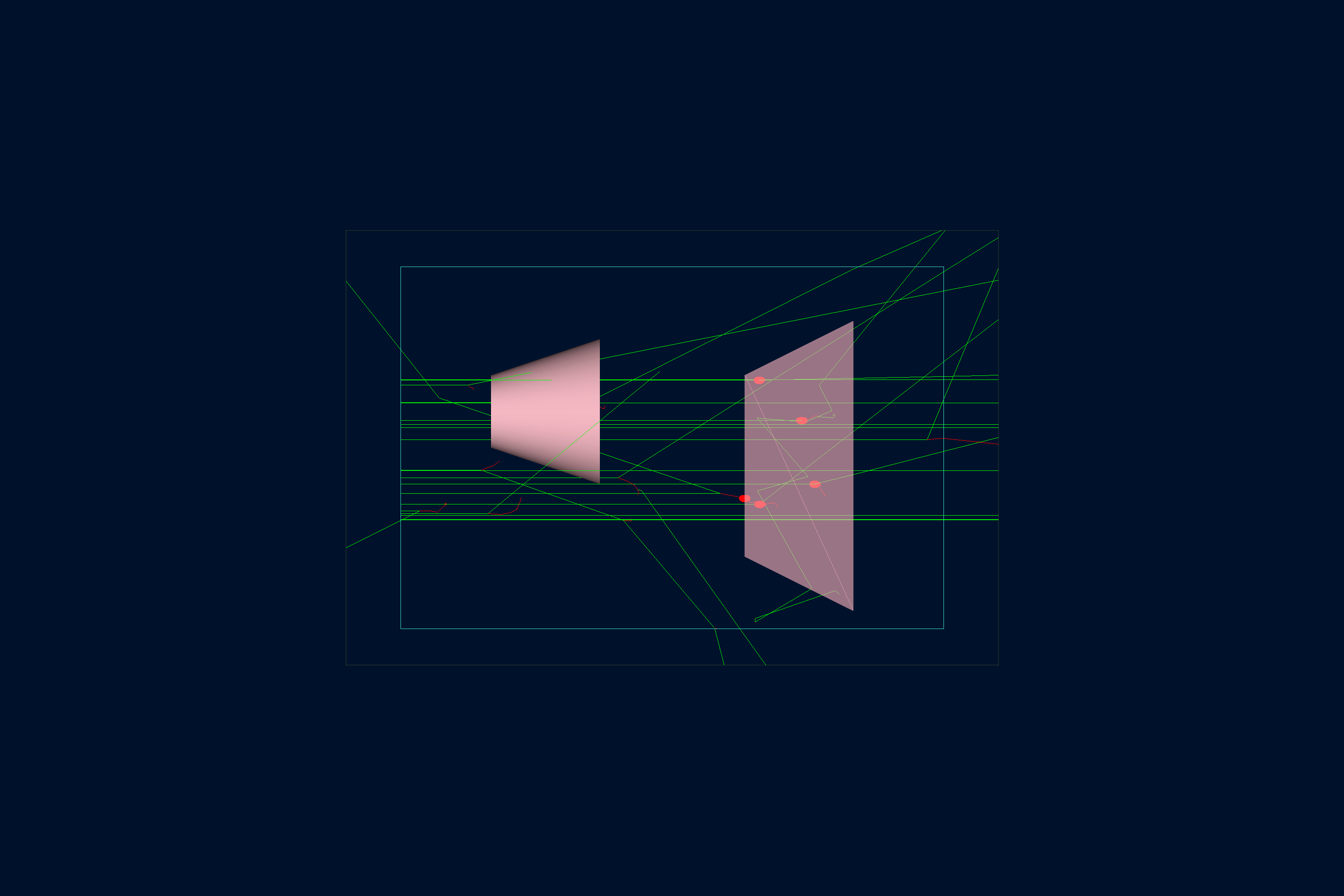 B1 |
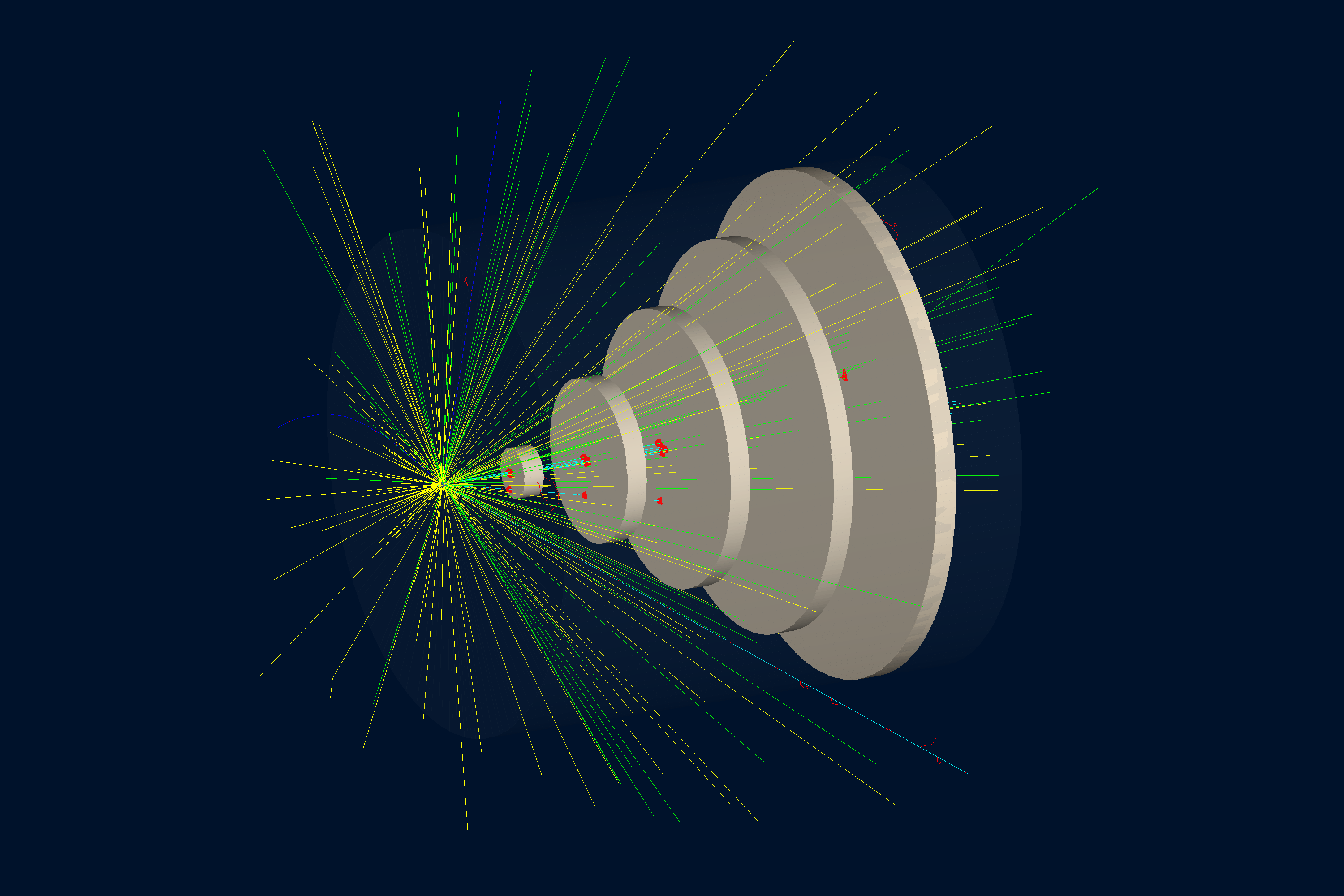 B2 |
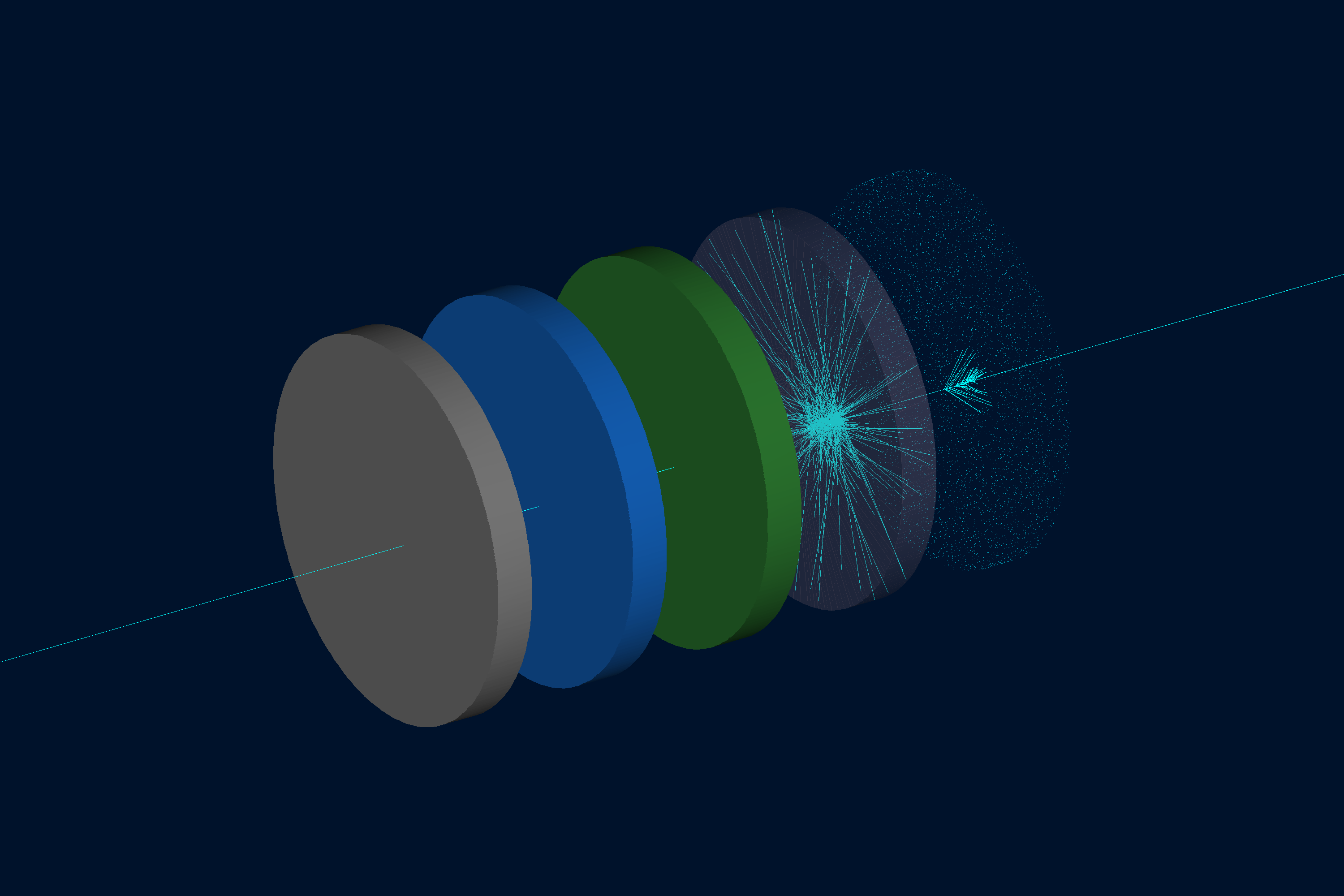 Materials |
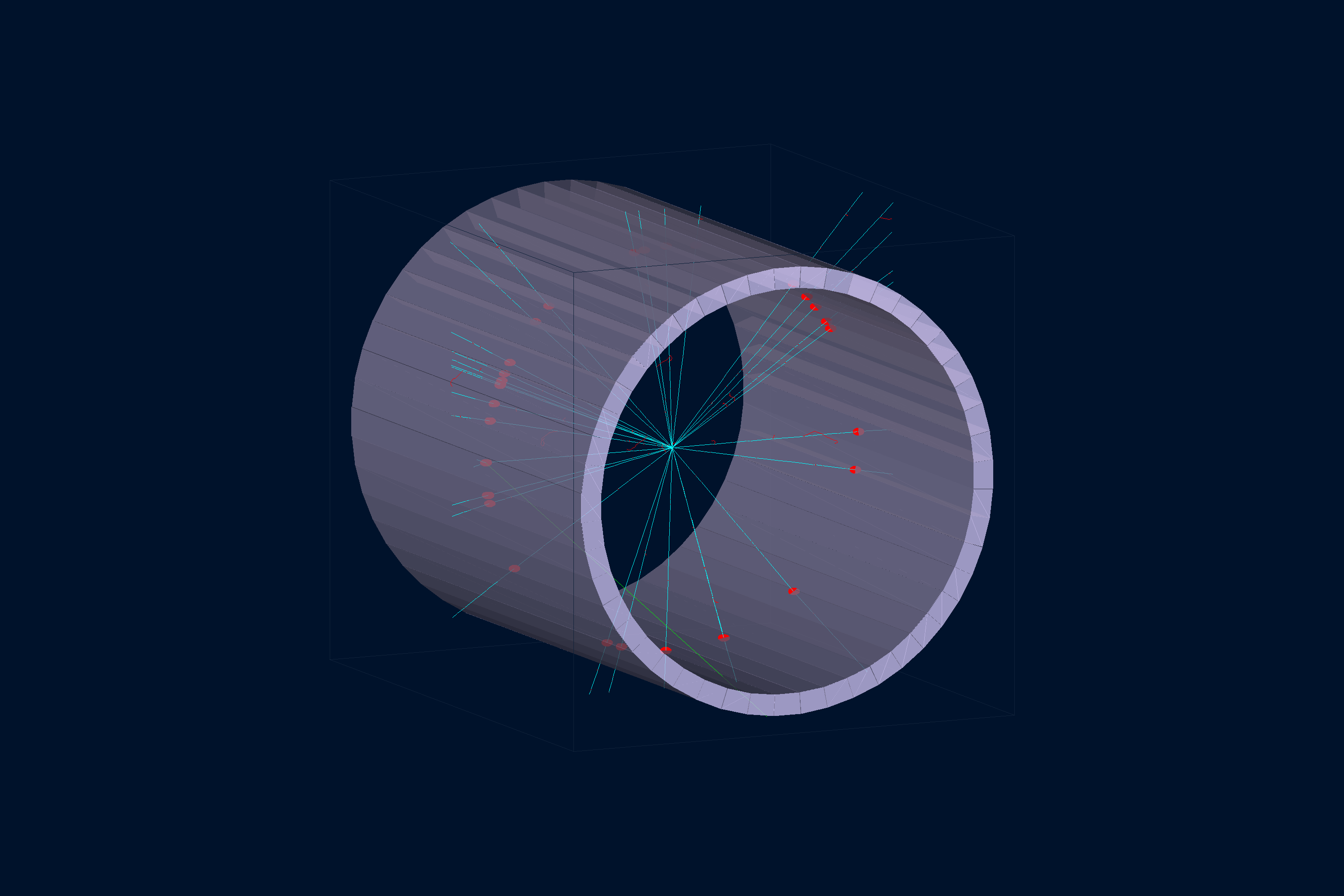 Scintillator Barrel |
Open the linked interactive PyVista scenes generated from the GEMC examples.
GitHub README pages cannot embed .vtksz files directly, so the preview image links to the hosted VTK.js viewer.
| Command | What it does |
|---|---|
gemc-system-template -s counter |
Generate a detector skeleton named counter. |
gemc-system-template -sl |
List supported Geant4 solid snippets. |
gemc-system-template -gv G4Box |
Print a volume-construction snippet for a G4Box. |
gemc-system-template -gv G4Tubs -write_to geometry.py -geo_sub build_tube |
Write a G4Tubs snippet to geometry.py. |
gemc-sqlite -n mydetector.sqlite |
Create a new SQLite database with the GEMC geometry and materials schema. |
gemc-sqlite -sql mydetector.sqlite -sv |
Open an existing database and list its volumes. |
gemc-sqlite -sql mydetector.sqlite -sm |
Open an existing database and list its materials. |
gemc-sqlite -sql mydetector.sqlite -sv -ef examples -vf default -sf counter -rf 1
|
Filter listed volumes by experiment, variation, system, and run number. |
gemc-analyzer counter_t0_digitized.csv --kind csv |
Summarize a GEMC CSV output file and list the plottable quantities per stream. |
gemc-analyzer counter_t0_digitized.csv totEdep --kind csv --bins 50 |
Plot a digitized variable with 50 bins. |
          gemc-analyzer counter_t0_true_info.csv --kind csv --data true_info --plot yvsx --xlim -20 20
          --ylim -20 20
|
Plot true hit positions in the y-vs-x plane. |
gemc-analyzer out.root E --kind root --detector flux --save energy.png |
Save a ROOT-based analyzer figure without opening a GUI. |
Run the standalone Python tests:
pytest
pytest tests/test_analyzer.py
pytest tests/test_cli.py
pytest tests/test_gconfiguration_yaml.py
pytest tests/test_geometry.py
pytest -v
pytest -k "sqlite"
The tests cover analyzer plotting, CLI behavior, YAML-driven PyVista configuration, and geometry database
generation. They intentionally do not require Geant4 or a compiled gemc executable; full simulation tests live
in the parent GEMC Meson build.
| Path | Purpose |
|---|---|
src/pygemc/api/ |
Geometry, materials, units, SQLite output, PyVista support, and templates |
src/pygemc/analyzer/ |
CSV/ROOT readers, plotting, and analyzer CLI |
tests/ |
Standalone pytest suite |
releases/ |
Release notes |
pyproject.toml |
Python packaging metadata and console scripts |
meson.build |
Meson subproject integration used by GEMC |
- GEMC homepage
- Python API overview
- Quickstart
- Examples
- GEMC source repository
- CLAS12 GEMC systems repository
- Documentation website repository
- GEMC2 / CLAS12 repository
Keep patches focused and run the relevant pytest targets before opening a pull request. If a change affects the integrated GEMC build, also run the parent repository Meson tests for the affected examples or modules.
pygemc is licensed under the Apache License, Version 2.0 — the same license used by the main GEMC
source repository. See NOTICE for attribution.