


Fess is an enterprise search server that you can install and run on any platform with a Java runtime. It is built on OpenSearch, but prior OpenSearch knowledge is not required: Fess is configured through a browser-based administration UI.
A built-in crawler collects documents from web sites, file systems, and data stores such as databases and CSV files. Many file formats are supported, including Microsoft Office, PDF, and ZIP archives.
Fess Site Search is a free alternative to Google Site Search that you can embed in your own website. For details, see the FSS JS Generator documentation.
- Full-text search with faceting, sorting, and search suggestions
- Crawlers for web sites, file systems, and data stores (databases, cloud storage, and SaaS)
- Support for many document formats, including Microsoft Office, PDF, and archives
- Browser-based administration UI and a REST API
- Role- and permission-based filtering of search results
- Single sign-on with LDAP, OpenID Connect, SAML, SPNEGO, and Microsoft Entra ID
- Multilingual user interface and text analysis (20+ languages)
- Extensible through data store, ingest, script, and theme plugins
- Java 21 or later, for the TAR.GZ, ZIP, RPM, and DEB packages
- OpenSearch as the search engine backend. The Docker images bundle it; for other installations you set it up separately.
See the Installation Guide for supported versions and setup details.
There are two ways to try Fess: download and install it yourself, or run it with Docker.
Fess 15.7 can be downloaded from the Releases page. Downloads are available in three formats: DEB, RPM, and ZIP.
The following commands show how to use the ZIP download:
$ unzip fess-15.7.x.zip
$ cd fess-15.7.x
$ ./bin/fess
For more details, see the Installation Guide.
Docker images are published on ghcr.io. A Docker Compose file is available in the docker-fess repository.
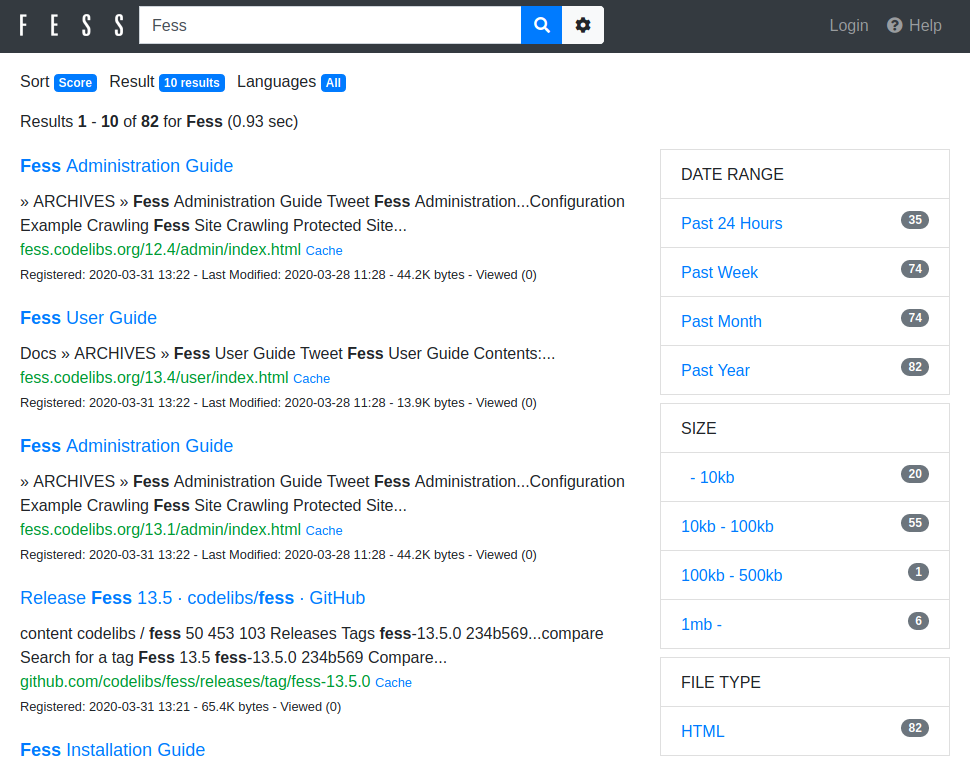
- Search UI: http://localhost:8080/
- Admin UI: http://localhost:8080/admin/ (default username/password is admin/admin)
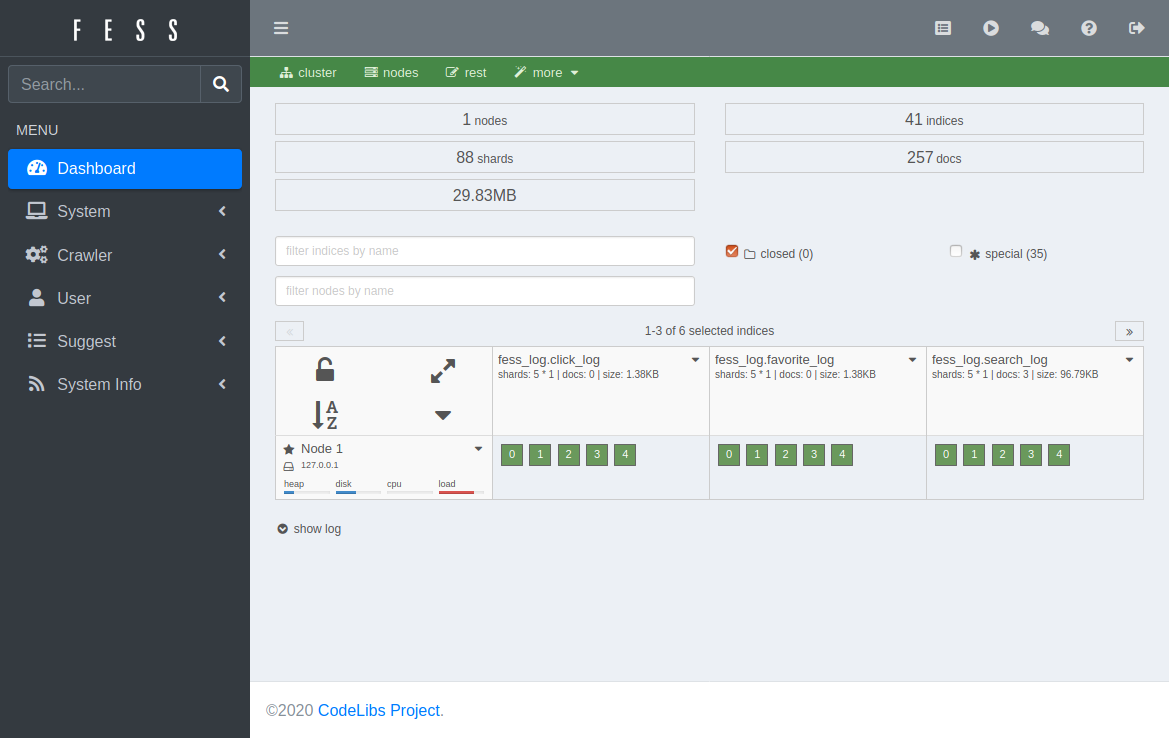
Register crawling targets on the Web, File, or Data Store configuration pages in the Admin UI, then start the crawler from the Scheduler page.
See MIGRATION.md.
Fess can crawl the following storage locations and APIs:
- Confluence/Jira
- Box
- CSV
- Database
- Dropbox
- Elasticsearch
- Git
- Gitbucket
- G Suite
- JSON
- Office 365
- S3
- Salesforce
- SharePoint
- Slack
Fess can be extended with plugins. In addition to the data store connectors above, the following are available.
- fess-themes: a collection of static themes, each a self-contained single-page app installed by uploading a ZIP in the admin UI
-
Clone the repository:
$ git clone https://github.com/codelibs/fess.git -
Import it as a Maven project in your IDE.
Building Fess requires Java 21 or later and Maven.
Run antrun:run to download plugins into the plugins directory:
$ mvn antrun:run
Run or debug org.codelibs.fess.FessBoot in your IDE, then open http://localhost:8080/.
Run the package goal to create the release file in target/releases:
$ mvn package
$ mvn rpm:rpm   # .rpm package
$ mvn jdeb:jdeb # .deb package
$ mvn dbflute:download # one-time setup
$ mvn dbflute:freegen
$ mvn license:format
Integration tests require a running Fess server with OpenSearch.
-
Build Fess:
$ mvn antrun:run # download OpenSearch plugins, if not done already $ mvn package -
Start the Fess server:
 $ unzip target/releases/fess-*.zip
 $ ./fess-*/bin/fess &
Wait for Fess to become ready (this may take up to 60 seconds). It returns a JSON response when ready:
$ curl -s "http://localhost:8080/api/v1/health" -
Clone the test data (required for
SearchApiTests):$ git clone https://github.com/codelibs/fess-testdata.git /tmp/fess-testdata -
Run the tests:
$ mvn test -P integrationTests -Dtest.fess.url="http://localhost:8080" -Dtest.search_engine.url="http://localhost:9201"To run a single test case:
$ mvn test -P integrationTests -Dtest.fess.url="http://localhost:8080" -Dtest.search_engine.url="http://localhost:9201" -Dtest=SearchApiTests
Contributions are welcome. If you find a bug or have a feature request, please open an issue. For questions and discussion, use the forum. Pull requests for fixes and improvements are appreciated; for larger changes, discussing the approach first is recommended.
Before committing, format the code and license headers:
$ mvn formatter:format
$ mvn license:format
Fess is internationalized. To add labels and messages for a language, translate the property files below and rename them with your language code (fess_*_[lang].properties):
For search and index analysis, if doc.json contains lang_[lang] for your language, adjust the analyzer accordingly. See the OpenSearch documentation on analyzers for details. Pull requests for new languages are welcome.
- Website and documentation: fess.codelibs.org
- Questions and discussion: discuss.codelibs.org
- Bug reports and feature requests: GitHub Issues
This README is available in other languages:
- 日本語 (Japanese)
- 简体中文 (Simplified Chinese)
- Español (Spanish)
- Português (Brazilian Portuguese)
- Français (French)
- Deutsch (German)
- 한국어 (Korean)
- Lasta Di: DI container
- LastaFlute: web framework
- Lasta Job: job scheduler
- Fess Crawler: web crawler
- OpenSearch: search engine
Fess is distributed under the Apache License 2.0.